USB Controller shows code 52 in device manager
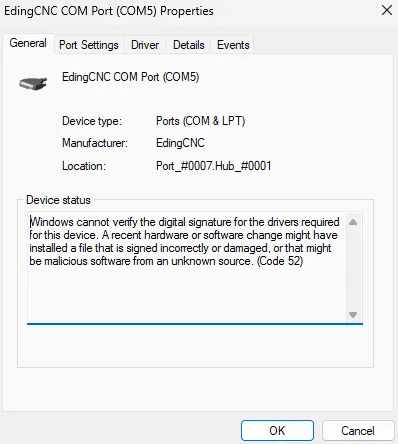
The driver for the EdingCNC controllers that is included up until version 5.3.1 contains a signing certificate that is no longer accepted by Microsoft. Because of that, your EdingCNC USB controllers may no longer be detected. To see if this is the problem you are experiencing and to resolve the issue, follow the steps below.
Determine if your issue is related to the driver certificate
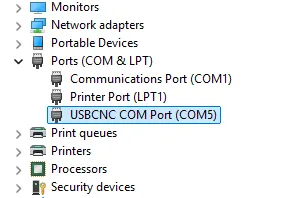
Open Device Manager and navigate to the "Ports (COM & LPT)" section.
A properly working device
A device that does not start
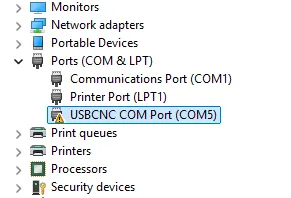
Click the USBCNC COM Port device listed here. If the device shows this message with Code 52, it is affected by the driver issue.
Install the new driver
If the device is affected by the driver issue, follow these steps to mitigate it.
Download the new driver here.
Extract the .zip archive contents and start the "install_drivers.cmd"
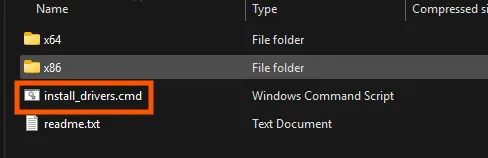
This will start an installation program to install the drivers.
Upon completion, unplug and replug the device or restart the computer.
The new driver should be loaded, and the connection to the controller will be restored.